Edit with Photoshop in ChatGPT – Adobe
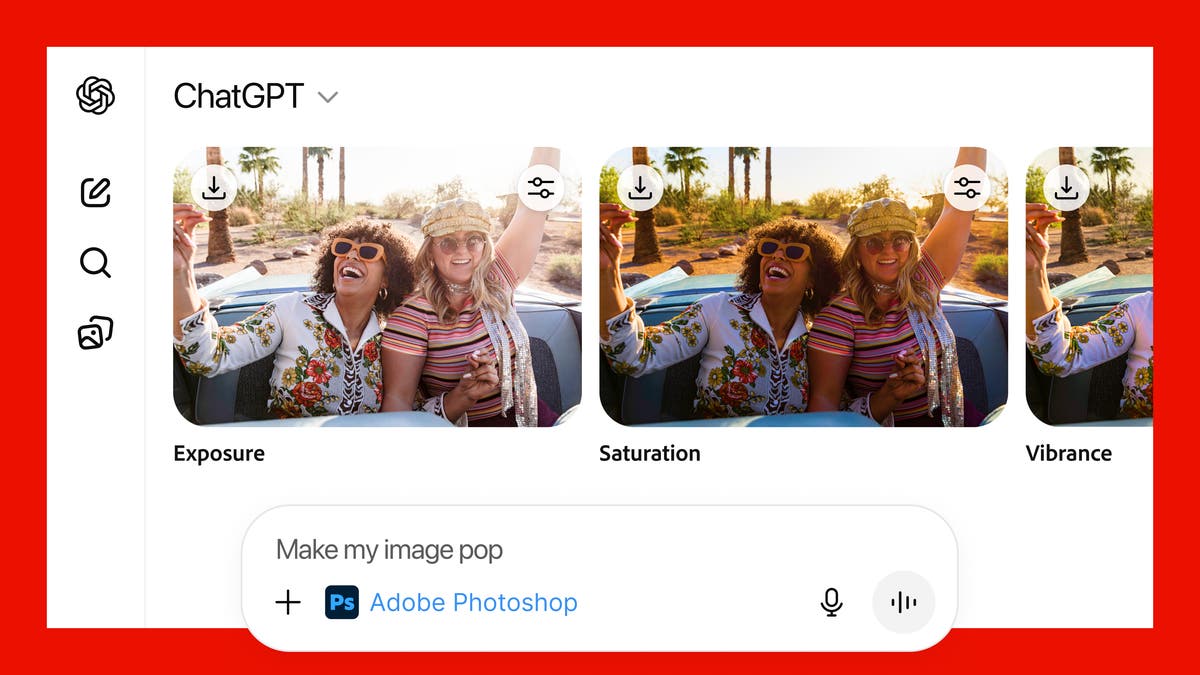

The combination of the world’s leading creative app and the world’s leading chat platform is a match made in creativity heaven, combining the power and precision of Photoshop with the ease and accessibility of ChatGPT’s conversational interface.
But the benefits don’t stop with Photoshop. Adobe Acrobat and Adobe Express are also now available to the 800 million people who use ChatGPT each week. With these apps, you can easily bring Adobe magic to your photos, create stunning designs, and edit your PDFs directly in ChatGPT — all for free.
There are lots of ways to get started today. Photoshop your favorite family photo to make it picture-perfect for your holiday cards. Design that invitation to your New Year’s Eve party that will make it clear you’re the host with the most. Or get help with finding a new career by touching up your resume. All you need is an idea, ChatGPT and your favorite Adobe app.
Here’s how to get started creating with Adobe apps in ChatGPT:
Once you’ve connected the app, just go to the ChatGPT prompt bar and follow these simple steps.
See specific examples of how to use each Adobe app in ChatGPT below.
With Adobe Photoshop for ChatGPT, you can easily enhance your images with just a few prompts. Ask ChatGPT to use Photoshop to make the people in your photo stand out, add an artistic effect to the background or a specific object in your image, or apply a grainy finish for a vintage vibe. It’s quick and fun to turn your travel snapshots into frame-worthy keepsakes — or add them to your holiday card.
Try the following prompting steps:
Create a party invite that’s as fun as your event. With Adobe Express in ChatGPT, you can design a stunning invitation in no time. Just tell ChatGPT what you’re looking for — like a festive theme or a sparkly design — and it’ll help you create the perfect invitation. Add your party details, choose the right imagery, and you’re all set to wow your guests.
When you’re looking for a new professional challenge, you want to put your best foot forward. Adobe Acrobat in ChatGPT can help you create a curated job application package — resume, cover letter, references, portfolio — all in one PDF, for free. Here’s how:
1. Upload your resume, cover letter, and references to ChatGPT.
2. Click on the + icon, select More to view the available apps and choose Adobe Acrobat.
3. Enter your prompt: “combine my documents into a single file.”
4. Then ask to edit your cover letter, adapting it to each company you’re applying to. Just highlight the text, choose “Edit or format text,” and a sidebar opens for easy editing and formatting.
To get the best possible results when creating with conversational interfaces, experiment with different prompt language. Here are some tips and tricks:
https://blog.adobe.com/en/publish/2025/12/09/four-creative-trends-define-marketing-2026
https://blog.adobe.com/en/publish/2025/12/04/celebrating-creative-milestones-one-adobe-customer-anniversary-pin ‘
https://blog.adobe.com/en/publish/2025/11/20/google-gemini-3-nano-banana-pro-firefly-photoshop
